USCCA Announces Major Investment in Second Amendment Foundation
New partnership supports SAF’s Second Amendment litigation while bringing legal education, case updates and expert insight directly to USCCA’s more than 870,000 members
- USCCA is making a significant financial investment in the Second Amendment Foundation (SAF) to support its work protecting Second Amendment rights through strategic litigation, legal action and public education.
- The partnership brings together complementary strengths: SAF works to defend Second Amendment rights in America’s courts, while USCCA prepares and supports the responsible Americans who exercise those rights.
- The announcement comes ahead of December 2 oral arguments before the U.S. Supreme Court in two SAF-backed cases, Viramontes v. Cook County and Grant v. Higgins.

Second Amendment Foundation
WEST BEND, Wis. — September 22, 2026 — The United States Concealed Carry Association (USCCA) today announced a significant financial investment in the Second Amendment Foundation (SAF), establishing a partnership to support SAF’s work protecting Second Amendment rights while bringing its legal expertise and insight directly to USCCA’s more than 860,000 members.
That member access is the most valuable part of the partnership. SAF will contribute a recurring column to each edition of USCCA’s magazine, giving members insight into significant Second Amendment litigation and legal developments. The organizations will also collaborate on educational content and ongoing updates to help members understand consequential cases moving through the courts and what those developments could mean for firearm owners.
SAF works to protect Second Amendment rights in America’s courts. USCCA prepares and supports the responsible Americans who exercise those rights.
“The right to defend yourself and those you love is God-given, and the Constitution affirms that right,” said Mike Lowney, President of Delta Defense. “This investment is about standing behind the legal work that protects our members’ rights. We are putting real resources behind SAF because decisions made in the courts have consequences for millions of Americans. SAF protects the right. USCCA prepares and supports the people exercising it. Investing in both is how we make that commitment real.”
According to SAF, approximately 80% of every dollar donated goes directly toward advancing its mission, helping put USCCA’s investment toward the litigation, legal action and public education at the heart of SAF’s work.
Founded in 1974, SAF has participated in hundreds of legal actions nationwide and played a role in landmark cases, including McDonald v. City of Chicago, in which the U.S. Supreme Court held that the Second Amendment applies to state and local governments.
The partnership begins at a consequential moment as the U.S. Supreme Court prepares to hear two SAF-backed cases. On June 30, the Court granted review in Viramontes v. Cook County and Grant v. Higgins and consolidated them for briefing and oral argument. The cases involve restrictions in Cook County, Illinois, and Connecticut on certain semiautomatic rifles, including AR-15-platform rifles. Oral argument is scheduled for December 2, 2026.
“USCCA’s investment directly strengthens SAF’s ability to do what we do best: defend Second Amendment rights through strategic litigation, legal action and public education,” said Adam Kraut, Executive Director of the Second Amendment Foundation. “This support helps us continue taking on consequential cases across the country. USCCA is investing in the legal work necessary to protect the rights of its members and millions of other responsible Americans, and we’re proud to have their support.”
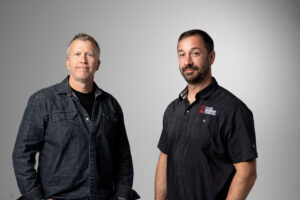
Mike Lowney, President of Delta Defense, and Adam Kraut, Executive Director of Second Amendment Foundation
The partnership is designed to extend beyond the cases currently before the Supreme Court. USCCA and SAF plan to provide ongoing educational resources, expert commentary and updates as significant Second Amendment cases develop, giving USCCA members greater access to SAF’s legal expertise.
“This isn’t about one case or one moment,” Lowney said. “We’re making an investment in SAF while giving our members greater access to the expertise and information they need to understand significant legal developments.”
Learn more about the USCCA and SAF partnership, including information about the cases currently before the U.S. Supreme Court, here.
About the USCCA
The United States Concealed Carry Association provides responsibly armed Americans with world-class education, training and self-defense resources. Through comprehensive training, education and member benefits, the USCCA empowers Americans to protect themselves and those they love while promoting the safe, responsible exercise of the right to self-defense. The USCCA is trusted by more than 870,000 members.
About the Second Amendment Foundation
Founded in 1974, the Second Amendment Foundation is a nonprofit organization dedicated to safeguarding and promoting Second Amendment rights through strategic litigation, legal action, public education and research.
